Monday, November 29, 2010

Electronic Whiteboards in the Classroom


smartboard
Picture from smartboard.com


Electronic whiteboards are touch screens and people can also draw/write on the whiteboards by using the electronic marker. Electronic whiteboards are also known as mimio boards and smart boards. The electronic whiteboards have a lot of capabilities such as: being able to save information and send it to the students, capability of running computer files and websites, and teachers/students are able to interact with the internet by touching the screen. Lots of teachers have communicated that whiteboards have assisted them in multiple ways such as: planning lessons, including multiple learning styles, and it has a great tool for graphic representation for math, science, and art. Another benefit with  the smartboard is  that it allows lessons to be more student centered because it allows the students to be able to interact with the information or games that are displayed on the white board. Teachers are saying that it is a great tool for motivating their students to learn, especially when the teacher allows them to work on the smart board by themselves for different projects. It also assists diverse learners to reaching the answer. However, the down fall is that students with disabilities may not be able to work the smart board if they have a motor disability and if you have a visually impaired student, the smartboard isn't able to read things out loud to them. As a teacher I hope to have a smart board for my students because I believe that student interaction is very critical in the student learning process.

Sunday, November 28, 2010

Using Cell Phones in the Classroom


(Copyright at Education World, 2009)

Cell Phones
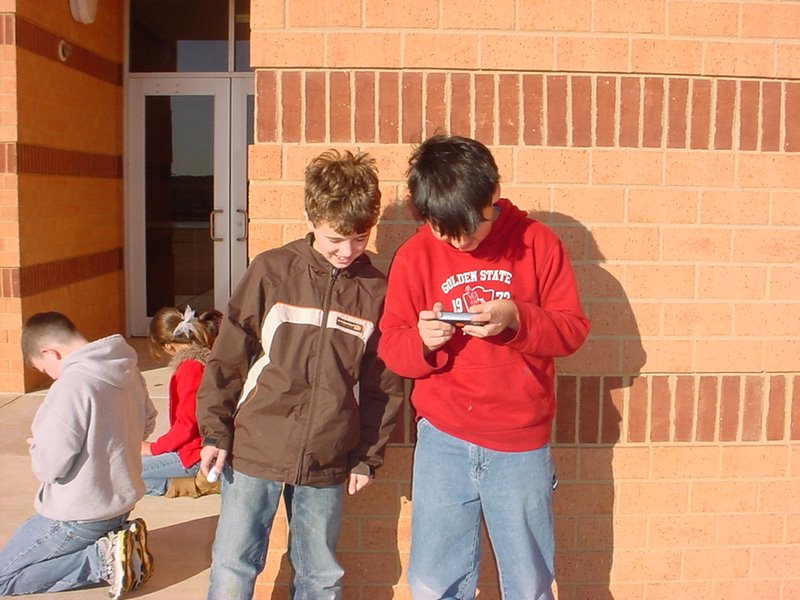
are allowed in certain classrooms, what? When I was in high school I remember teachers were constantly getting after students for being on their cell phones and  now that I'm in college it's not uncommon to find lots of students texting on their cell phones during class. Cell phones have become so popular that most people have a cell phone and no longer have a house phone and they take their cell phone every where they go. A fifth grade teacher knew that allowing students to use cell phones instead of getting after them might not be a bad idea in the classroom as long as it was done in a way to facilitate student learning. He attended a conference in San Antonio and attended  every session that related to cell phones. He had the opportunity to talk to the experts about using cell phones in the classroom which gave him a plan. His plan was to build a partnership with a company that would help fund the program. The programs supported his project so every student received a cell phone to be used for educational purposes and Verizon agreed to support the project by giving them free service and Microsoft assisted with any software issues they were having. The fifth grade teacher and his students now use cell phones every day in the classroom to support learning. They have several programs on their cell phones such as: Go Know and Gaggle. These programs allow the students to: collaborate with one another, use Microsoft, Excel, PowerPoint, communicate, take pictures, and their is a drawing tool on their phones.The students also are able to use email on their phones, but they aren't able to call or text on the phones. I think this is a good idea because otherwise the students would most likely be texting more than learning the material, but yet it still makes learning fun for students by letting them do their work by using programs on a cell phone. I think that cell phones could be the future learning device for students because there are so many programs out there that can be used through a cell phone and you can assess thing on your cell phone anywhere, anytime which makes it easier for teachers/students. It's also less to have to carry around for students. I never thought that students would be using cell phones to enhance learning, did you?


Saturday, November 27, 2010

i-School in Classrooms


I-School, you might be thinking what's that? I was thinking the same thing when I first saw the title of the video on you tube about i-School because I have never heard of it. I-School seems like a really cool device because on one little mobile device there is so many things that students can use on it. I remember when I had to carry around my agenda, textbooks for each class, atlas, periodic table, graphing calculator, paper, pencils, and had to use my home computer at home to do homework. So I had to be at home in order to do my assignments or look something up. I still do have to carry around a calculator, textbooks, notebooks, pencils, and assignment books in college. It would be so much easier if students, teachers, and parents had one device where all of these things could be found and the device where students could find all of these resources is on a i-school device. This means that students would have everything they need on their i-School which they could access anywhere anytime. I was surprised that the i-School only costs about $150. 00 which I didn't think is too bad when the school would be saving on: paper, pencils, books, and other materials that the i-School already has on it. I know that I hope that my students and I will each have an i-School someday to use because it would be so convenient to have pretty much everything you and your students need on one small device that is easy to take anywhere and can be assessed anywhere.

View the video below to learn more about the benefits of i-School for teachers, parents, and students.


Video was created by the i-School Initiatives Company.

Friday, November 26, 2010

Benefits of Students Podcasting Beyond the Classroom

Brent Coley making a podcase with his student Joey

Credit: Courtesy of Brent Coley


I really enjoyed this article about Mr. Coley, a fifth grade teacher, that podcasts his student's work so that people around the world can listen to it. I learned that this can benefit students in numerous ways such as: motivating them to do their best work since lots of people will see it, giving them a chance to work on their speaking and writing skills, allowing parents to see what their child is doing in class, reinforcing course material, and giving students the chance to listen to themselves talking which helps them improve their speaking skills. It is exciting for the students because Mr. Coley shares with them the comments that people write. People from all 50 states have viewed Mr. Coley's class podcasts and people from eighty-seven foreign countries! At the end of a unit Mr. Coley has the students write scripts about what they have learned and then assists them with recording their scripts on the classroom computer. I think this would be a good way for teachers that are unsure about trying technology to start with podcasting their students work because I learned that you only need a computer, a microphone, free audio software, such as Garageband, and internet. It seems like it is pretty simple to do and that it gives the students authentic opportunities and keeps them motivated/engaged which is very critical. Now that I know how much podcasting is benefiting some students I really would like to learn more about how to put the students works on the web after they record it.